Daggr vs n8n: Code-First vs Visual Workflow Tools

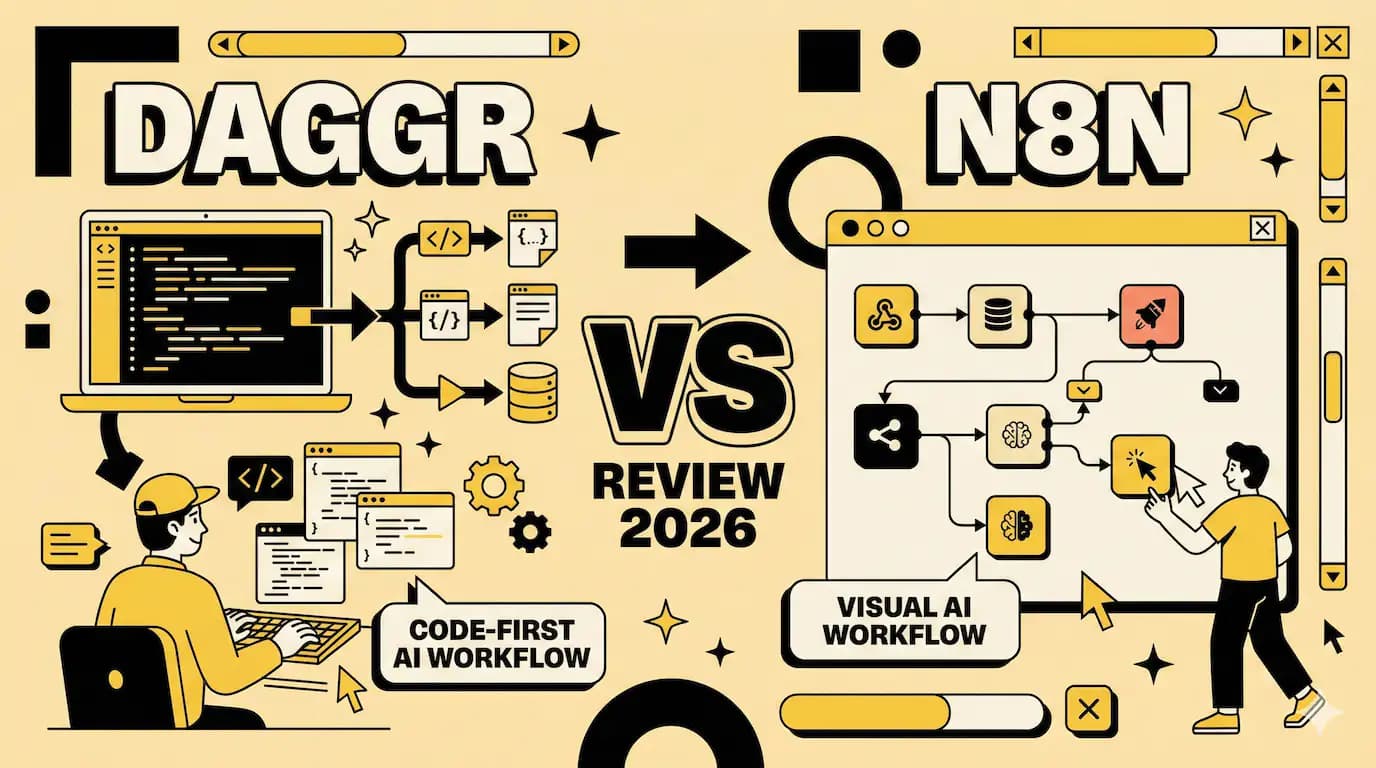
Hugging Face dropped Daggr on January 28th. Within 48 hours, it hit 25,000 views on social media. People were sharing screenshots of visual pipelines that were generated from five lines of Python.
The pitch is simple. You write code. Daggr draws the flowchart.
This matters because we've been stuck in a false choice for years. Either drag boxes around in n8n and lose version control. Or write raw Python and lose visibility into what's breaking.
Daggr tries to give you both. You define your AI workflow in Python. Connect a Gradio app to a model endpoint to a custom function. Daggr automatically generates a visual canvas where you can see intermediate outputs, rerun individual steps, and inspect what's happening at each stage.
It's brand new. Still in beta. APIs will change. But the Gradio team built it, so it works seamlessly with the entire Hugging Face ecosystem.
And here's what makes it different from everything else in this space.
Code first, visuals second
Most workflow tools make you think visually from the start. n8n, Make, Zapier. They all open with a blank canvas and nodes you drag around.
Daggr flips this. You write Python. The canvas appears automatically.
Here's what that looks like in practice. You want to generate an image, then remove its background. Two lines of actual logic:
pythonimage_gen = GradioNode("hf-applications/Z-Image-Turbo")
bg_remover = GradioNode("hf-applications/background-removal", inputs={"image": image_gen.image})
That's it. Daggr creates the visual representation.
The visual exists to help you debug, not to define your workflow.
i spent years writing automation scripts with no visibility. Then i spent months clicking through n8n nodes trying to remember which box did what. This approach feels like the middle ground i kept looking for.
Three types of nodes, one workflow
Daggr supports three node types.
GradioNode calls any Gradio Space. Public or private. Point to the Space name and API endpoint. No adapters needed.
InferenceProviderNode hits model endpoints directly. You can mix Hugging Face models with OpenAI or Anthropic in the same pipeline.
FunctionNode runs custom Python functions. Regular Python. Not some proprietary scripting language.
You chain them together by referencing outputs as inputs. When you write inputs={"image": previous_node.image}, Daggr knows how to connect them.
The visual canvas updates automatically. You can click any node to see its output. Rerun just that step. Change an input value and watch the rest of the pipeline react.
What n8n does differently
n8n gives you 400+ pre-built integrations. Slack, Google Sheets, Postgres, webhooks. Every SaaS tool you've heard of.
It's visual first. You drag nodes onto a canvas. Connect them with lines. Configure each box through a form.
The power comes from self-hosting. You control your data. You can write custom JavaScript or Python inside nodes. Install external packages. Access the file system.
n8n is for connecting services. Daggr is for chaining AI models.
n8n has LangChain support and 70 AI nodes. But it's built for general automation. Trigger a workflow when a Slack message arrives. Parse it. Store it in a database. Send a notification.
Daggr is built for AI demos and experiments. Connect three different image models. Pass outputs between them. Inspect what each one produced. Swap a model and rerun.
Different tools. Different use cases.
The state persistence thing
Daggr saves everything automatically.
Your workflow state. Input values. Cached results. Even where you positioned nodes on the canvas.
Close the app. Reopen it. You're exactly where you left off.
It uses "sheets" to maintain multiple workspaces. One sheet for your image generation pipeline. Another for your text analysis workflow. Switch between them without losing context.
This sounds minor until you're debugging a pipeline at 2am. You change one parameter. Run it. Get an error. Close your laptop in frustration. Next morning, everything's still there. The error. The inputs. The intermediate outputs you were inspecting.
Running things locally
Here's a question people keep asking. Can you run Spaces locally instead of hitting the API?
Yes. Set run_locally=True on a GradioNode.
Daggr clones the Space. Creates an isolated virtual environment. Launches the app. Uses the local instance instead of the remote API.
If local execution fails, it falls back to the remote endpoint automatically.
i tried this with a background removal Space. Took about 30 seconds to clone and start. After that, each run was instant. No API latency. No rate limits.
But it only works if you have the compute. Running a 7B vision model locally isn't free.
The naming problem
Someone at Hugging Face really likes the word "dag." Directed Acyclic Graph. Computer science term for a workflow that doesn't loop back on itself.
So they named it Daggr. With two g's.
Meanwhile, there's a completely different tool also called Dagger. Different spelling. One g. It's for CI/CD automation and container orchestration.
And there's another project on GitHub also named Dagger. For composing workflows in Elixir.
Three different tools. Similar names. Similar concepts. Zero relationship to each other.
This is what happens when everyone in DevOps discovers graph theory at the same time.
Good luck googling for help.
Who this isn't for
If you're building production automation for a business, use n8n. It's mature. Battle-tested. Has actual integrations with the services you need.
If you don't write Python, Daggr will frustrate you. There's no drag-and-drop editor. No getting around the code.
If your workflow needs conditionals, loops, error handling at enterprise scale, n8n wins. Daggr is lightweight by design. Advanced control flow isn't the goal.
Daggr is for AI developers who want to prototype fast and see what's happening.
It's for building demos. Testing model combinations. Debugging why your pipeline produces garbage on the third step. Sharing experimental workflows with your team.
The blog post says APIs may change between versions. Data loss is possible during updates. That's honest. Also disqualifying for anything important.
One week old
Daggr launched five days ago. The GitHub repo has the first commit from late January 2026.[github]
People are excited. The LinkedIn posts are full of "new way of building apps" and "breeze to code and debug" reactions.
But it's still beta software from a team that usually builds UI frameworks, not workflow engines.
i like the idea. Code-first with automatic visuals solves a real problem. The Gradio integration is smooth because the same people built both tools.
But i'm not migrating anything to it yet. Maybe in six months when the API stabilizes. When someone's written tutorials that aren't just the announcement blog post. When the rough edges get filed down.
For now, it's a tool for weekends. For trying that weird idea where you chain four models together and see what happens. For building demos that need to look good in a presentation.
Not for the automation that wakes you up when it breaks.
Enjoyed this article? Check out more posts.
View All Posts